
|
Oct
10
|
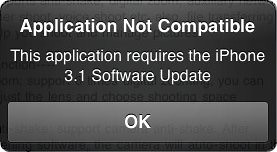 If like me you are still running on OS 3.0, you sometimes probably encounter an issue when trying to download an application from the App Store. The issue in question is that “this application requires the iPhone 3.1 firmware update”, which comes under the form of a popup saying “Application Not Compatible”.
There is a quick and dirty fix for that: simply install the FWchanger app from Cydia.
Firmware Changer is an app that lets you change the plist file that contains the version of firmware you are running. This is useful for things that refuse to install or run on one firmware version even though they can. Note this only changes the reported firmware, not the actual firmware.
After installing FWchanger, launch the app and enter a fake firmware and build.
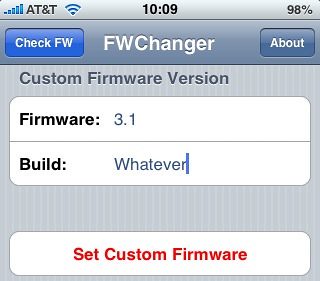
Hit “Set Custom Firmware”, and voila! Go to Settings > General > About and you should see your fake firmware there.
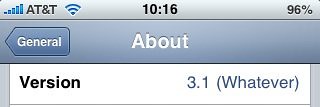
Now you can trick these applications that require you to be on 3.1 into thinking you are running OS 3.1 even though you are not. This works for older 2.X firmwares as well. Note that it doesn’t always work as advertised but in most cases, it was spot on for me.
Pretty slick, huh?
Popularity: unranked [?]


Comments