Jul 08

These are instructions on how to jailbreak your iPhone 3GS on the 3.0 iPhone firmware using RedSn0w for Windows. The Mac version of this tutorial is here. The 3G version of this tutorial is here . The 2G version of this tutorial is here


This tutorial can be used to jailbreak before applying the UltraSn0w unlock. You can find instructions on how to apply the unlock here .


videothumb How To Jailbreak Your IPhone 3GS On OS 3.0 Using RedSn0w (Windows)
Watch the Video!

For your convenience this tutorial is available in video format also. Click the Watch It button to view the tutorial!


Step One

Create a folder on your desktop called Pwnage


Download RedSn0w from here and place it in the Pwnage folder. Likewise, download the latest 3.0 firmware from below and place it in the same folder.


Extract the RedSn0w executable from the zip file to the Pwnage folder.

16933 500 How To Jailbreak Your IPhone 3GS On OS 3.0 Using RedSn0w (Windows)


Step Two

Connect your iPhone to the computer and launch iTunes.

16950 How To Jailbreak Your IPhone 3GS On OS 3.0 Using RedSn0w (Windows)


Select your iPhone from the list of devices on the left. Now hold down shift and click the Restorebutton. Restore is preferred as it won’t create any wasted space on your iPhone.

16949 500 How To Jailbreak Your IPhone 3GS On OS 3.0 Using RedSn0w (Windows)


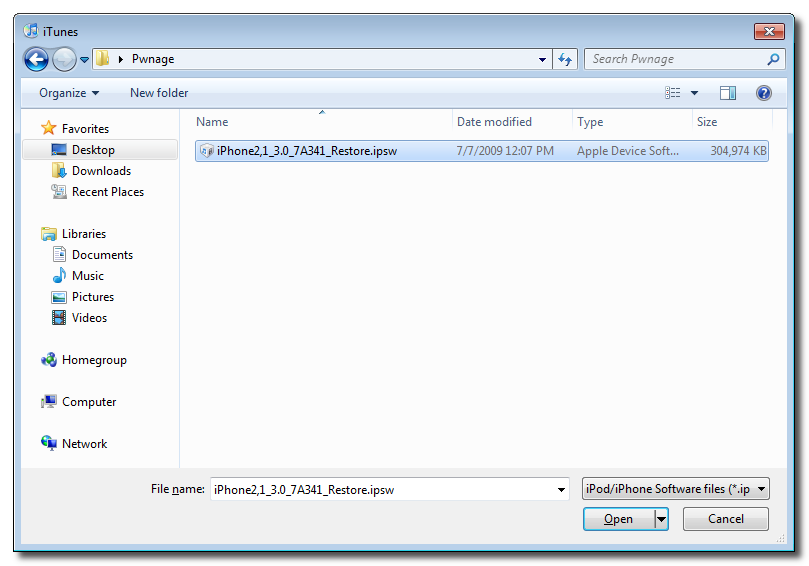
Navigate to the Pwnage folder on your desktop and select the firmware ipsw. Click the Open button to continue.

16935 500 How To Jailbreak Your IPhone 3GS On OS 3.0 Using RedSn0w (Windows)


Step Three

Once iTunes has finished updating your iPhone to the desired firmware you may launch redsnw0w.exefrom the Pwnage folder on your desktop.

16936 How To Jailbreak Your IPhone 3GS On OS 3.0 Using RedSn0w (Windows)


Step Four

Once RedSn0w opens click the Browse button

16938 How To Jailbreak Your IPhone 3GS On OS 3.0 Using RedSn0w (Windows)


Step Five

Select the firmware ipsw we placed in the Pwnage folder on our desktop then click Open

16940 500 How To Jailbreak Your IPhone 3GS On OS 3.0 Using RedSn0w (Windows)


Step Six

Once the firmware has been verified click the Next button to continue.

16941 How To Jailbreak Your IPhone 3GS On OS 3.0 Using RedSn0w (Windows)


Step Seven

Make sure Cydia is selected and click the Next button.

16942 How To Jailbreak Your IPhone 3GS On OS 3.0 Using RedSn0w (Windows)


Step Eight

RedSn0w will now instruct you on how to put your iPhone into recovery mode. Disconnect you iPhone 3GS from the computer then power it off. Then hold down the Home button while reconnecting the device to the computer. Don’t let go of the button until RedSn0w detects the iPhone and begins installation.

16943 How To Jailbreak Your IPhone 3GS On OS 3.0 Using RedSn0w (Windows)


Step Nine

Your iPhone will now reboot

16944 How To Jailbreak Your IPhone 3GS On OS 3.0 Using RedSn0w (Windows)


Step Ten

RedSn0w will then begin uploading the new RAM Disk and kernel.

16946 How To Jailbreak Your IPhone 3GS On OS 3.0 Using RedSn0w (Windows)


Step Eleven

Once this is complete you will be notified that RedSn0w is done. Click the Finish button. When your iPhone finishes rebooting (5 minutes or so) it will be jailbroken with Cydia on the SpringBoard.

16948 How To Jailbreak Your IPhone 3GS On OS 3.0 Using RedSn0w (Windows)

Popularity: unranked [?]

written by Duy Phong \\ tags: , , , , , , , , , ,

Jul 08
Last night we released updated versions of our redsn0w jailbreak and ultrasn0w carrier unlock. These versions are now compatible with the iPhone 3GS running at 3.0. Welcome aboard, 3GS owners! (The tools of course remain compatible with all of the other platforms too.) Also last night, saurik released 3GS-compatible versions of MobileSubstrate and WinterBoard, components that enable many different add-ons and themes.
We realize we upset some folks (e.g. existing 3GS owners) with our earlier announcement that we wanted to hold onto the 3GS iBoot-family hole until 3.1 was out. Our aim there was to get as many people as possible onboard (within reason of course) before revealing the hole, since Apple will fix it immediately. But all of that became moot when the purplera1n release was made, since it uses the same hole.
For those of you who already own 3GS phones, the outlook is bright. As long as you have your personalized (signed) dfu/img3 files, you’ll always be able to jailbreak (even if you slip up and install stock Apple firmware in the future). For those of you without 3GS phones, it’s a race against the clock to use this particular hole. There’s nothing we can do about that, but we will always be looking for new holes.
ultrasn0w unlockers — You all must remain particularly vigilant against upgrading your basebands, since doing so will kill the unlock (for most phones, there’s no going backwards in baseband version). Apple has gotten very serious with the latest baseband — they’ve removed 180 (!) commands in an effort to cut down their exposure to holes. So please always stay away from stock Apple IPSWs and instead use our tools as we release them. These tools let you update your firmware without updating your baseband.
Those installing ultrasn0w will probably also need to do a single run of Settings->General->Reset->Reset Network Settings. We’re testing various fixes for that particular glitch.
Once again, thanks to @Oranav for finding the new injection vector that allowed us to transform yellowsn0w for baseband 02.28 into ultrasn0w for baseband 04.26, and for not revealing it to Apple before it could be used where it would be most effective — firmware 3.0.
redsn0w platforms — This is the first redsn0w release that also supports linux! It’s the newest version of the bunch, so any feedback would be appreciated. But right now, redsn0w should work on OS X, Windows, and linux.
How to get the goods:
  • The redsn0w torrent seeds are all here. Any direct mirroring help would also be appreciated.
  • The updates to ultrasn0w, MobileSubstrate, and WinterBoard are all handled directly through Cydia (after you’ve jailbroken!)
  • The Cydia repo for ultrasn0w is http://repo666.ultrasn0w.com (that last o in ultrasn0w is the number 0!)

Popularity: unranked [?]

written by Duy Phong \\ tags: , , , , , , ,

Jul 06
Apple Tutorials
These are instructions on how to jailbreak your iPhone 3GS using PurpleRa1n for Mac OS X. Once you have completed this tutorial you will be able to unlock your iPhone 3GS using this tutorial.

This is a preliminary jailbreak and thus some apps such as Winterboard will not work. You may want to consider waiting for the jailbreak release from the iPhone Dev-Team if this is important to you.

You can find a Windows version of this tutorial here.

Step One
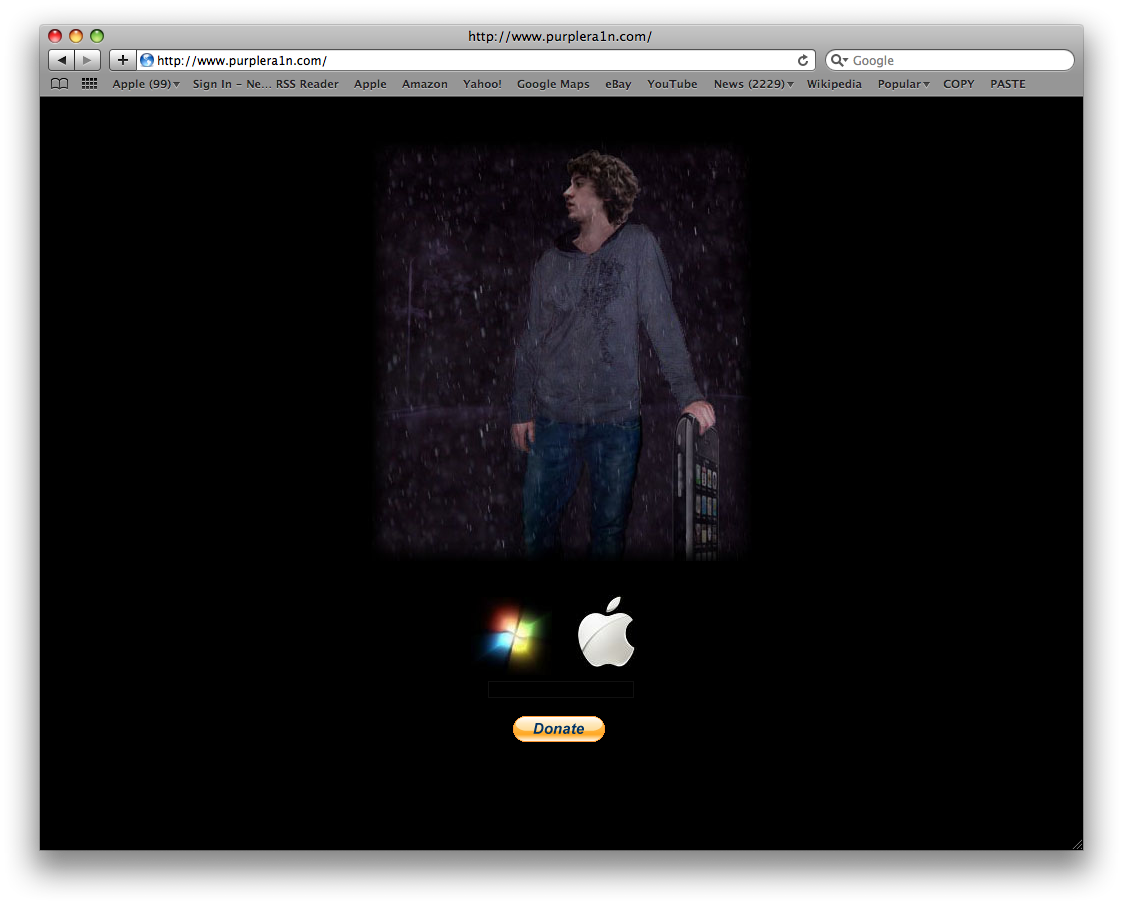
Open your web browser of choice and navigate to http://www.purplera1n.com. Click the Apple logo at the bottom of the screen.
16865 500 Apple Tutorials How To Jailbreak Your IPhone 3GS Using PurpleRa1n (Mac)

Step Two
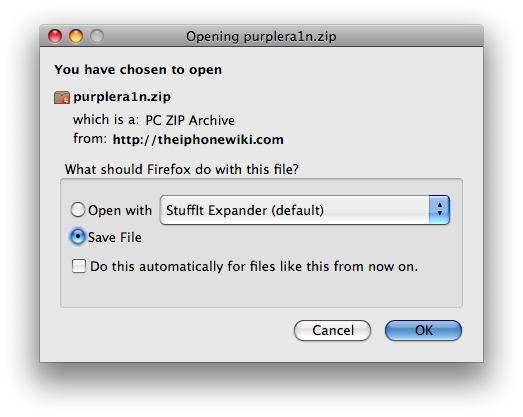
When prompted save the download to your desktop
16878 500 Apple Tutorials How To Jailbreak Your IPhone 3GS Using PurpleRa1n (Mac)

Step Three
Double click the purplera1n archive to extract the application. Then double click the purplera1n application file from the desktop to launch the program
16879 Apple Tutorials How To Jailbreak Your IPhone 3GS Using PurpleRa1n (Mac)

Step Four
Click the large make it ra1n button
16868 Apple Tutorials How To Jailbreak Your IPhone 3GS Using PurpleRa1n (Mac)

Step Five
You iPhone will now be placed in recovery mode. You will see a picture of GeoHot that replaces the regular recovery mode screen on your device.
16880 Apple Tutorials How To Jailbreak Your IPhone 3GS Using PurpleRa1n (Mac)

purplera1n will run and then your device will reboot.
16869 Apple Tutorials How To Jailbreak Your IPhone 3GS Using PurpleRa1n (Mac)

16870 Apple Tutorials How To Jailbreak Your IPhone 3GS Using PurpleRa1n (Mac)

Step Six
Once your device reboots you will see a new icon on the SpringBoard entitled Freeze. Press it to continue.
16872 Apple Tutorials How To Jailbreak Your IPhone 3GS Using PurpleRa1n (Mac)16873 Apple Tutorials How To Jailbreak Your IPhone 3GS Using PurpleRa1n (Mac)

Step Seven
Once Freeze opens tap Install Cydia.
16871 Apple Tutorials How To Jailbreak Your IPhone 3GS Using PurpleRa1n (Mac)

Step Eight
Once the Cydia installation has completed you must reboot your iPhone.
16874 Apple Tutorials How To Jailbreak Your IPhone 3GS Using PurpleRa1n (Mac)16876 Apple Tutorials How To Jailbreak Your IPhone 3GS Using PurpleRa1n (Mac)

Step Nine
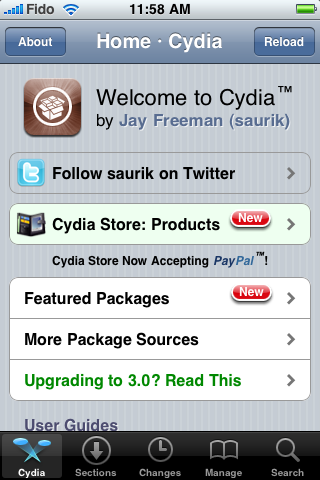
When you iPhone has rebooted you can run Cydia. Let it do all the necessary updates then follow our Unlock tutorial to finally unlock your iPhone 3GS.
16877 Apple Tutorials How To Jailbreak Your IPhone 3GS Using PurpleRa1n (Mac)

NOTE*: To remove the Freeze icon from your desktop you can install CyDelete from Cydia then use it to delete the application. We will post a tutorial on this shortly.

THANKS*: A big thanks goes to GeoHot for his work in making this jailbreak possible. Also thanks to others who contributed such as chronic and the dev-team.

Popularity: unranked [?]

written by Duy Phong \\ tags: , , , , , , , , , , ,

Jul 06
iphone 64 How To Fix Push Notifications On Your 3.0 IPhone 2G
These are instructions on how to fix push notifications on your jailbroken 3.0 iPhone 2G. Please note that this is a preliminary fix by the iPhone Dev-Team and thus may need some improvements before it is finalized.

Step One
Press to launch Cydia from your SpringBoard.
16885 How To Fix Push Notifications On Your 3.0 IPhone 2G

Step Two
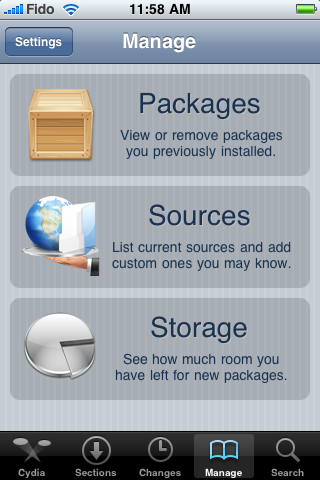
Press to select the Manage tab at the bottom of the screen.
16886 How To Fix Push Notifications On Your 3.0 IPhone 2G

Step Three
Press the large Sources button.
16887 How To Fix Push Notifications On Your 3.0 IPhone 2G

Step Four
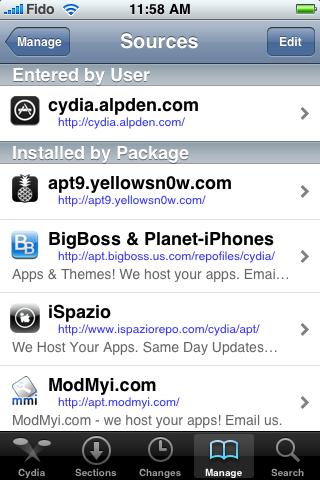
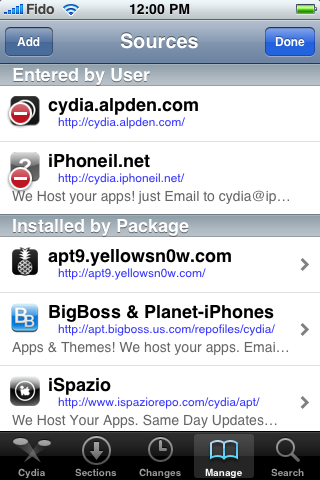
Press the Edit button at the top right of the screen.
16888 How To Fix Push Notifications On Your 3.0 IPhone 2G

Step Five
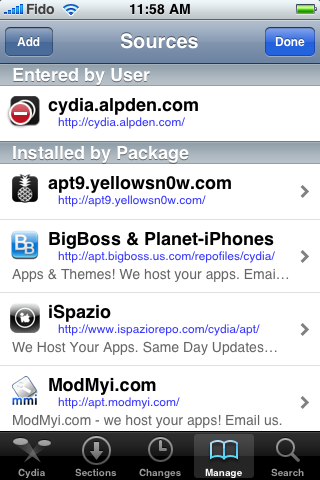
Press the Add button at the top left of the screen.
16889 How To Fix Push Notifications On Your 3.0 IPhone 2G

Step Six
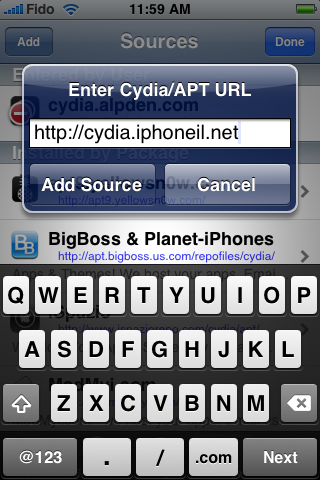
Enter http://cydia.iphoneil.net as the new source address and tap the Add Source button.
16890 How To Fix Push Notifications On Your 3.0 IPhone 2G

Step Seven
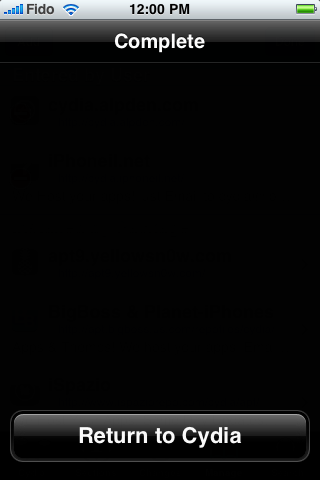
Once the source has been successfully added press the large Return to Cydia button.
16891 How To Fix Push Notifications On Your 3.0 IPhone 2G

Step Eight
Press the Done button to exit Edit mode.
16892 How To Fix Push Notifications On Your 3.0 IPhone 2G

Step Nine
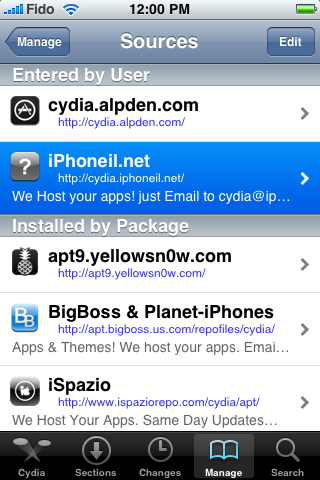
Press to select the newly added cydia.iphoneil.net repository.
16893 How To Fix Push Notifications On Your 3.0 IPhone 2G

Step Ten
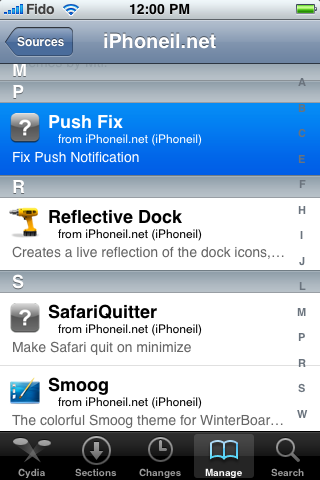
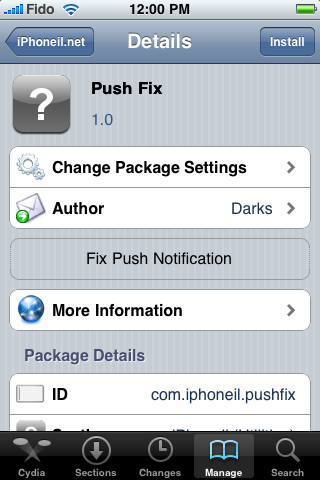
Press to choose Push Fix from the list of Packages
16895 How To Fix Push Notifications On Your 3.0 IPhone 2G

Step Eleven
Press the Install button at the top right of the screen.
16896 How To Fix Push Notifications On Your 3.0 IPhone 2G

Step Twelve
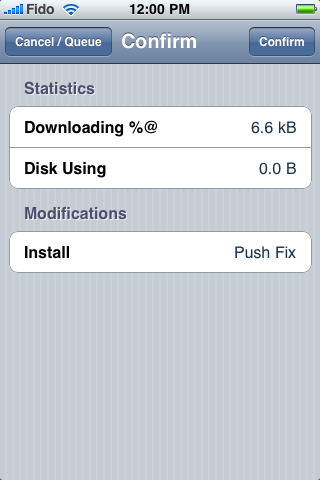
Then press the Confirm button to beginning installation
16897 How To Fix Push Notifications On Your 3.0 IPhone 2G

Step Thirteen
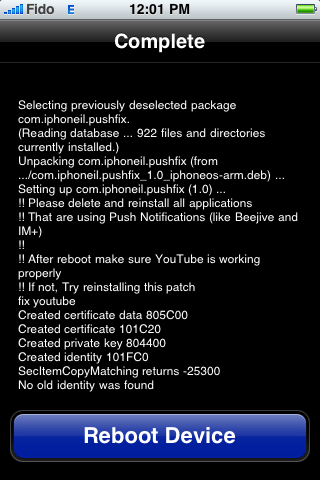
Once installation has completed successfully press the large Reboot Device button to reboot your iPhone.
16898 How To Fix Push Notifications On Your 3.0 IPhone 2G

Once rebooted verify that YouTube works. If not try reinstalling the patch.

You will also need to remove then reinstall all your applications which use Push Notifications before they will work.

THANKS***: A big thanks to the iPhone Dev-Team for providing this fix. Also thanks to iPhoneIL for packaging it up nicely. Thanks to iSpazio for bringing this package to our attention.

Popularity: unranked [?]

written by Duy Phong \\ tags: , , , , ,

Jul 05

geohot 3gs jailbreak Geohot Releases His Own IPhone 3GS Jailbreak

Deciding that waiting around for the Dev-Team to release its iPhone 3GS jailbreak solution is for chumps, original iPhone unlocker Geohot has released his own jailbreaking method, with the help of chronic dev and a few others, that he has dubbed purplera1n. Best. Name. Ever. As it stands, purplera1n only supports Windows rigs (Windows 7 and 64-bit excluded) but OS X support is on the way. Hit the read link to grab a copy of purplera1n and get all the instructions you’ll need to get your Cydia fix on. And happy jailbreaking!

P.S. We’ve heard that ultrasn0w works, but it is a bit flaky for the time being.

News Source : www.boysgeniusreport.com

Popularity: unranked [?]

written by Duy Phong \\ tags: , , , , ,