

|
Jul
04
|
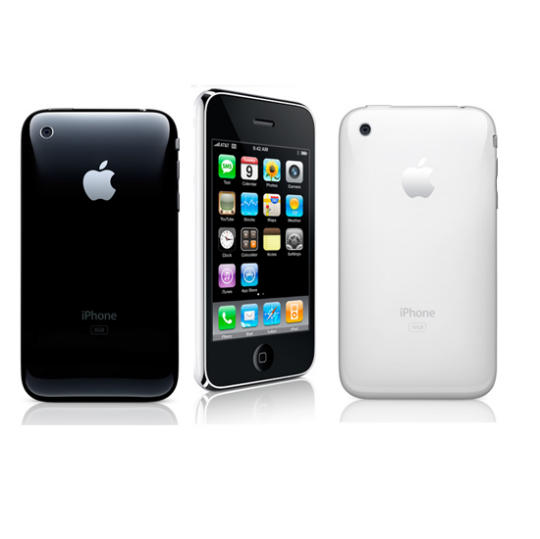
Unlocking Your Iphone: The Complete Tutorial
Hey Guys. Iv recently tried to unlock my iphone and i realized how there are no. good turorials on Warez. so i decided to save everyone some time and make a proper tutorial.
In this Topic il tell you guys exactly what to do in order to unlock your iphone.
* Im not going to include EVERY SINGLE THING * for example : firmware 1.0 because most people dont really need it. but if you do. just say so and il put it up.
** as well. il be putting both the direct links and rapidshare links for most of the stuff i put on, because A) some of you guys prefer rapidshare. and B) because i would love to collect some Rapidshare points  **
**
**** Also. For now im doing Windows Only, eventually, il do for Mac also. ****
I used hjsplit to split the files. its a really easy program to use.
1. Run it
2. select Join
3. select the first part of your file and press ok.
4. it will do the rest
| Code: |
| http://rapidshare.com/files/220903825/hjsplit.exe |
Alrighty.
Lets begin :

Step 1: Download QuickPwn!
QuickPwn is the easiest tool to use in order to unlock. there is Pwnage tool but that one requires custom firmwars and stuff. so i say just use Quickpwn.
* Again, if you guys want Pwnage tool. il upload. ( To be honest though, i have no idea how to use it ) **
I believe Quickpwn works with every firmware version.
Size: 15.4 mb
Rapidshare:
| Code: |
| http://rapidshare.com/files/220903691/QuickPwn-225-2.zip |
Direct Link
| Code: |
| http://quickpwn2-2-1.googlecode.com/files/QuickPwn-225-2.zip |
Now that you got Quickpwn, time to move on to step 2. (no need to open it yet, you still a few more things to get.)

Step 2: Download Your Firmware!
Your iphone firmware can be found on your iphone, just go to Settings>General>About ( Half way down *Version*)
Here is an example from my Phone ( U can take screen shots by pressing the on/off button and home button at the same time, Incase you didnt know that )

There are two things you need to get from the version. A) its firmware B) those 3/4/5 digits/letters that are beside it . download the firmware bellow that has both of those.
Firmware 2.0 (5A347)
Size: 235 mb
Rapidshare:
| Code: |
| http://rapidshare.com/files/221004732/iPhone1_2_2.0_5A347_Restore.ipsw.001 http://rapidshare.com/files/221004485/iPhone1_2_2.0_5A347_Restore.ipsw.002 http://rapidshare.com/files/220913854/iPhone1_2_2.0_5A347_Restore.ipsw.003 |
Direct Link
| Code: |
| http://appldnld.apple.com.edgesuite.net/content.info.apple.com/iPhone/061-4955.20080710.bgt53/iPhone1,2_2.0_5A347_Restore.ipsw |
Firmware 2.0.1 (5B108)
Size: 249 mb
Rapidshare
| Code: |
| http://rapidshare.com/files/220593392/iPhone1_2_2.0.1_5B108_Restore.ipsw.001 http://rapidshare.com/files/220623700/iPhone1_2_2.0.1_5B108_Restore.ipsw.002 http://rapidshare.com/files/220604559/iPhone1_2_2.0.1_5B108_Restore.ipsw.003 |
Direct Link
| Code: |
| http://appldnld.apple.com.edgesuite.net/content.info.apple.com/iPhone/061-5134.20080729.Q2W3E/iPhone1,2_2.0.1_5B108_Restore.ipsw |
Firmware 2.0.2(5C1)
Size: 248 mb
Rapidshare
| Code: |
| http://rapidshare.com/files/220633651/iPhone1_2_2.0.2_5C1_Restore.ipsw.001 http://rapidshare.com/files/220633688/iPhone1_2_2.0.2_5C1_Restore.ipsw.002 http://rapidshare.com/files/220621705/iPhone1_2_2.0.2_5C1_Restore.ipsw.003 |
Direct Link
| Code: |
| http://appldnld.apple.com.edgesuite.net/content.info.apple.com/iPhone/061-5241.20080818.t5Fv3/iPhone1,2_2.0.2_5C1_Restore.ipsw |
Firmware 2.1.0 (5F136)
Size: 237 mb
Rapidshare
| Code: |
| http://rapidshare.com/files/220635722/iPhone1_2_2.1_5F136_Restore.ipsw.001 http://rapidshare.com/files/220654333/iPhone1_2_2.1_5F136_Restore.ipsw.002 http://rapidshare.com/files/220642516/iPhone1_2_2.1_5F136_Restore.ipsw.003 |
Direct Link
| Code: |
| http://appldnld.apple.com.edgesuite.net/content.info.apple.com/iPhone/061-5198.20080909.K3294/iPhone1,2_2.1_5F136_Restore.ipsw |
Firmware 2.2.0 (5G77)
Size: 246 mb
Rapidshare
| Code: |
| http://rapidshare.com/files/220655879/iPhone1_2_2.2_5G77_Restore.ipsw.001 http://rapidshare.com/files/220661637/iPhone1_2_2.2_5G77_Restore.ipsw.002 http://rapidshare.com/files/220663464/iPhone1_2_2.2_5G77_Restore.ipsw.003 |
Direct Link
| Code: |
| http://appldnld.apple.com.edgesuite.net/content.info.apple.com/iPhone/061-5778.20081120.Aqw4R/iPhone1,2_2.2_5G77_Restore.ipsw |
Firmware 2.2.1 (5H11)
Size: 246 mb
Rapidshare
| Code: |
| http://rapidshare.com/files/220674137/iPhone1_2_2.2.1_5H11_Restore.ipsw.001 http://rapidshare.com/files/220680416/iPhone1_2_2.2.1_5H11_Restore.ipsw.002 http://rapidshare.com/files/220672178/iPhone1_2_2.2.1_5H11_Restore.ipsw.003 |
Direct Link
| Code: |
| http://appldnld.apple.com.edgesuite.net/content.info.apple.com/iPhone/061-5828.20090127.aQLi8/iPhone1,2_2.2.1_5H11_Restore.ipsw |
OK. now that you got your firmware time to move on to step 4.
Step 4: (Optional) Upgrade Your Iphone
Lets say you have firmware 2.0 and you want to go up to firmware 2.2
well you can easily do it through itunes.
just download the firmware you want. plug your iphone in.
Go to itunes > devices
Hold shift and press Update. adn then search for the firmware you downloaded.
then just let it run.
* I would recomend backing up your iphone files. *

Step 4: Pwn Your Iphone!
Sweet. now you got everything you need. Alright. so run Quickpwn.
Follow the instructions!
Done. easy. just make sure your ready for the 3rd step. you need to press buttons on your iphone according to what it says. No worries if you screw up you can just redo it. Also. select cydia and installer. You could also change the apple logo to a pinapple. but its up 2 you.
Done
there you have it. your iphone is Pwned.
cydia is a really sick program that you can find a bunch of cool hacks and themes and blah blah.
If you want to change your theme. u need to download winterboard.
Also, download some sources so you can get more stuff to download
** i made the mistake of getting almost all of them, realllly slowed down my iphone.**
Also i have two private sources that i use:
Private Sources
to add them you need to go to cydia>manage>sources>edit>add
OpenHebrew
One really cool source you can completly changes the language of you iphone to hebrew. You will need version 2.2 or higher in order for it to work.
just add this source :
| Code: |
| http://tom.zickel.org/openhebrew |
•To install a fully localized Hebrew interface – search for the package iVrit and install it
•To install Hebrew fonts & keyboard only – search for the pacakge OpenHebrew and install it
Installous
this private source will basicly allow you to download any app/game/utility or w/e even if it costs money on to your phone.
| Code: |
| http://cydia.hackulo.us/ |
then install installous.
Fin
I Hope you found this topic helpful. If there are any files im missing or something isnt working. just say and il fix it up quickly. if there are any mac users who need the mac files il gladly put it up.
Enjoy.
Link checked on Wed Jul 01, 2009 5:09 am [WBB_Linkchecker_Bot]
Popularity: unranked [?]


Comments