Aug 14

UltraSn0w Unlock iPhone 3G iOS 4.0.2 e1281821137976 How to Unlock iPhone 3G iOS 4.0.2 with UltraSn0w

This step by step guide and tutorial will show you how to unlock your iPhone 3G iOS 4.0.2 using UltraSn0w 1.1-1. At the time I am writing this, it will only work with the iPhone 3G since there is no jailbreak for other devices.

Step 1: Jailbreak your iPhone 3G using RedSn0w.

Step 2: Go to Cydia and search for UltraSn0w. If it’s not there, you might have to add the following repo: repo666.ultrasn0w.com

Step 3: Install UltraSn0w.

Step 4: Reboot your iPhone.

You’re done. You should now be able to use your iPhone 3G with any carrier.

Popularity: 1% [?]

written by rockingevil \\ tags: , , , , , , ,

Aug 12

Fix Dev Team Fixes What Apple Didn’tThe Dev Team wrote a blog post this morning telling they are working on a fix for iPhone 2G and iPod Touch 1G who were left out of yesterday’s iOS update. Apple released iOS 4.0.2 to fix a PDF security hole that was used by JailbreakMe to jailbreak the iPhone. This security glitch could have also been exploited by malicious softwares, which explains why Apple was so quick to release a fix for it.

The problem is Apple completely denied support for older models like the original iPhone and iPod Touch. Even though Apple acknowledges the severity of the holes, they didn’t deem it necessary patching them on these older iDevices.

This is where the Dev Team steps in. The jailbreak community had already developed a quick fix (PDF Loading Warner) but it was more of a safety net than anything else. According to the Dev Team, “Saurik has been burning the midnight oil coding a Cydia package that will fix the holes for all devices and all firmware versions (even going back to version 2.x!).”

UPDATE: PDF Patch is available in Cydia for free.

The fix will go through a short testing period and will then be available for download in Cydia. As I said earlier, JailbreakMe highlights the irony of jailbreaking. Apple has always claimed jailbreaking could expose your iPhone to safety risks. Today it proves that jailbreaking your iPhone is the best way to keep your iPhone safer, as Apple won’t do it if you’re still using an older iPhone or iTouch.

What do you think?

Popularity: 1% [?]

written by husain \\ tags: , , , , , , , , , , , ,

Aug 11

Update Will You Upgrade Your iPhone to 4.0.2?As Sebastien reported just a bit ago, Apple released software update 4.0.2. This “update” is said to have addressed to the PDF exploit that the Dev Team discovered, thus allowing JailbreakMe to function with ease. For those of you who aren’t jailbroken (which includes me), do you really plan to update this time?

It would have been nice of Apple to include the various features such as Game Center in this round, but perhaps the Beta isn’t quite perfected to release to the masses. It’s clear that this update was specifically aimed to prevent JailbreakMe from enticing those who buy their phone from today on. I bet the Dev’s get all fuzzy inside when Apple directly implements fixes aimed at their work. I give credit to them (devs), as they do work hard on these jailbreaks.

I think I will be sitting this update out. It may even have a counterproductive effect on me. Now that the hole is patched, I just may jailbreak for the heck of it. How about you? Will you update this go around, or wait for a real update? Let us know in the comments below.

Popularity: 1% [?]

written by zulu \\ tags: , , , , , , , , , , ,

Aug 11

pwned Jailbreak & Unlock iOS 4.0.2 on iPhone 3GThose of you who own an iPhone 3G or an iPod Touch 2G (non-MC model) can jailbreak/unlock iOS 4.0.2. To jailbreak your iPhone 3G 4.0.2, you will have to use RedSn0w 0.9.5b5-5.

How to Jailbreak iPhone 3G iOS 4.0.2

Step 1: Make sure you have the latest version of iTunes installed (iTunes 9.2).

Step 2: Download iOS 4 (not iOS 4.0.2) for iPhone 3G to your desktop from our iPhone downloads section.

Step 3: Update your iPhone to iOS 4.0.2 via iTunes.

Step 4: Download the latest version of RedSn0w from here.

Step 5: Point RedSn0w to the iOS 4 (not 4.0.2) you downloaded in step 2.

Step 6: Select “Install Cydia”.

Step 7: Follow the onscreen instructions.

Step 8: Let RedSn0w do the hard work for you. Once jailbroken, your iPhone will reboot.

How to Unlock iPhone 3G iOS 4.0.2

Since iOS 4.0.2 didn’t update the iPhone baseband, you can still use UltraSn0w to unlock your iPhone.

Step 1: Jailbreak your iPhone using the method described above.

Step 2: Go to Cydia and search for UltraSn0w. If it’s not there, you might have to add the following repo: repo666.ultrasn0w.com

Step 3: Install UltraSn0w.

Step 4: Reboot your iPhone.

Tell us how it goes for you by leaving a comment below.

[Thanks Bruce for the tip]

Popularity: 1% [?]

written by janyton \\ tags: , , , , , , , , ,

Aug 11

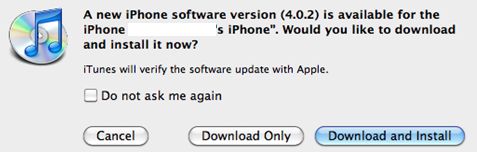
iOS 4.0.2 iOS 4.0.2 is Out. Jailbreakers Beware

iOS 4.0.2 is out and available for download. As expected, this update fixes the security hole that was uncovered by JailbreakMe. If you rely on your jailbreak/unlock, you should not update until a new jailbreak has been found.

You can find all the download links for every iPhone model in our iPhone downloads section.

[Image 9 to 5 Mac]

Popularity: 1% [?]

written by pietro842 \\ tags: , , , , , , ,