Aug 01

JailbreakMe is the latest jailbreak method for all devices running iOS 3.1.2 or newer. Like I said before, JailbreakMe is the easiest jailbreak you will ever find but some of you asked me to write a tutorial about it.

This guide and tutorial will show you how to use JailbreakMe to jailbreak your iPhone. Obviously, most people won’t need this tutorial because JailbreakMe is pretty straightforward.

Step 1: Make you your iPhone is backed up in iTunes, in case something goes wrong.

Step 2: From you iPhone, go to JailbreakMe.com.

Step 3: Slide to jailbreak.

Slide to Jailbreak How to Jailbreak Your iPhone with JailbreakMe

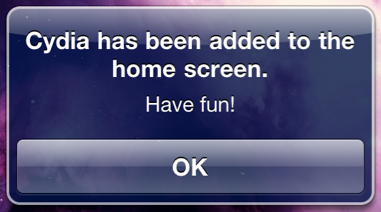
Step 4: Sit back, relax. JailbreakMe will be downloaded to your iPhone and will work its magic. When done, a pop up will tell you that Cydia has been installed.
Cydia Installed How to Jailbreak Your iPhone with JailbreakMe

Step 5: Reboot your iPhone. You don’t have to, but it’s always a good thing to do.

That’s it. Nothing to download to your computer. Read the rest of this post…

written by simonivan \\ tags: , , , , , , , , , , , ,

Aug 01

Broken JailbreakMe Causes MMS and FaceTime Issues But Fix Is On Its Way

Those of you who have installed JailbreakMe on their iPhones might be running into some problems, specifically MMS and FaceTime completely disappearing from the device. Obviously this is not normal but Comex is working on it. I am sure he will fix this in the next few hours. In the meanwhile, sit back and enjoy your newly jailbroken iPhone.

I will keep you posted as soon as JailbreakMe is updated and fixes this issue with MMS and FaceTime.

UPDATE: This has been fixed. More info here.

written by gunturbabu \\ tags: , , , , , , , ,

Aug 01

Unlock iPhone How to Unlock Your iPhone 3G or iPhone 3GS iOS 4 with UltraSn0wNow that the iOS 4 jailbreak has been released, those of you who were waiting for an unlock can unlock their iPhones with UltraSn0w. Before getting into the details, let me tell you more about who this is for and who this is not for.
The latest version of ultrasn0w will unlock the iPhone 3G and iPhone 3GS running iOS 3.1.2 or higher. As long as you are running iOS 3.1.2 or up to 4.0.1, you’re good.

This being said, ultrasn0w will not unlock the iPhone 4 at the time being. The Dev Team needs a little bit more of time to test out the iPhone 4 unlock before releasing it. I believe they will release the iPhone 4 unlock in the next few days, so stay tuned.

This guide and tutorial will show you how to unlock your iPhone 3GS or iPhone 3G running iOS 4 using ultrasn0w.

Step 1: Make sure your iPhone is backed up in iTunes.

Step 2: Jailbreak your iPhone using JailbreakMe (see instructions here).

Step 3: After the jailbreak process is done, go to Cydia and search for ultrasn0w.

Step 4: Install ultrasn0w and reboot your iPhone.

Step 5: Done!

You now have an unlocked iPhone 3G or 3GS.

written by popol842 \\ tags: , , , , , , , , ,

Aug 01

iPhone 4 Unlocked Delayed iPhone 4 Unlock Delayed

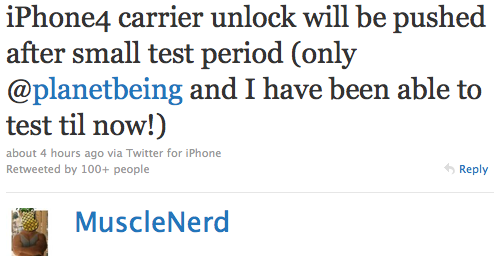
While there is now a jailbreak for iOS 4 and an unlock for the iPhone 3G and 3GS, there is still no unlock for the iPhone 4. In a tweet sent earlier today, MuscleNerd said the Dev Team will push back the release of the iPhone 4 unlock for a short period, just the time for them to test it out a little bit more.

If I had a guess, I’d say the iPhone 4 unlock will come in the next few days, so don’t go anywhere, I’ll keep you posted!

written by gunturbabu \\ tags: , , , , , , , ,

Aug 01

Quick Fix How to Fix MMS and FaceTime Issue After Jailbreaking with JailbreakMeMost of you who jailbroke their iPhone 4 using JailbreakMe lost their MMS and FaceTime capability. I just found out about a fix thanks to Krapps and Branden3112.

To fix your MMS and FaceTime issue, simply follow these steps:

  • Go to Cydia and add this source: http://iphonedelivery.advinux.com/cydia/
  • Once this source has been added, install “iPhoneDelivery” from it.
  • Reboot your iPhone
  • Go to Settings > Phone > Turn FaceTime ON
  • Done!

Thanks Branden for the  trick!

This is not an “official” fix from the Dev Team but I tried it myself and I can tell you it works. The Dev Team is still working on a fix that will most likely be available via Cydia.

If you use JailbreakMe now, you shouldn’t have any problem as it’s been updated to fix the issue. If you can’t wait for the official fix and if you don’t want to try this unofficial fix, you can always restore, and jailbreak again with the updated JailbreakMe.

written by simonivan \\ tags: , , , , , , , ,