Although the Verizon iPhone’s official launch is slated for February 10th, Verizon is giving existing customers the first shot at the device by offering pre-orders.
These pre-orders are slated to start at 3AM EST on February 3rd, but the good news is that you don’t have to change out of your pajamas to do so.
All pre-orders will be registered online via the company’s ‘My Verizon‘ site; therefore, we advise you to set up an account in advance if you are not already registered…
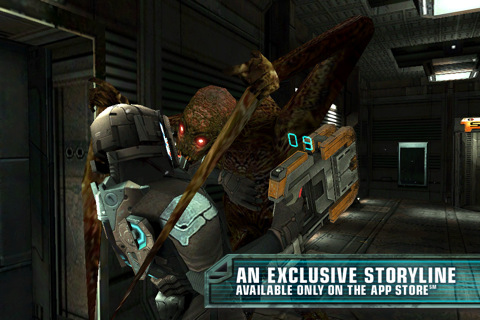
Dead Space is a new and terrifying sci-fi action game for the iPhone and iPod Touch. Love to scream during horror movies? Then start downloading, because you’re in for a treat.
Based on the console versions of the game, this small screen rendition manages to retain its dark and tense atmosphere, coupled with hardcore gameplay.
The suspense begins from the get-go, but the real terror begins when the lights are out. Grotesque aliens’ aka Necromorph’s will jump out and charge at you from every direction and it’s your job to blow them to kingdom come…
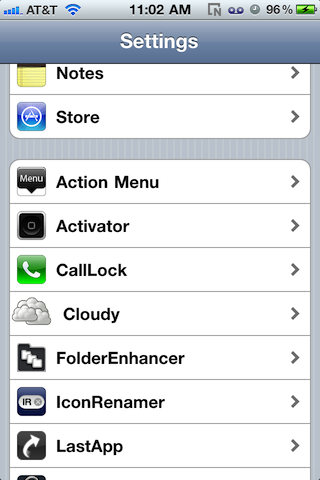
Ladies and gentlemen, there’s a new cloud sharing jailbreaktweak on the block, and the good news is that it’s free. That’s right; CloudyShots is a new tweak that will automatically upload your iPhone screenshots to the web.
Utilizing API’s from Cloud App — the popular cloud storage solution that allows you to share images, links, music, videos and files — CloudyShots takes the headache out of getting your screenshots from your iPhone to share online with your friends.
If you can remember ‘SB 2 Cloud‘ came out last year with pretty much this exact same functionality. Is CloudyShots nothing more than a blatant, albeit free, rip-off?
Another day, another frivolous lawsuit originating out of California. This time, the plaintiff is L.A. County resident Donald LeBuhn, who filed the lawsuit in earlier in the week.
This certainly isn’t the first class action suit that’s been filed against Apple recently, but it probably tops the list as being the most ridiculous.
In the suit, LeBuhn claims that Apple hid the fact that day-to-day use of the iPhone 4 would eventually lead to cracked glass.
Well, if normal day-to-day use entails dropping your iPhone on concrete surfaces, you might just be right…
Developer: Stuck In Customs
Price: $1.99
Version Reviewed: 2.0.1
Device Reviewed On: iPhone 3GS
iPhone Integration Rating: 3.5 out of 5 stars
User Interface Rating: 4 out of 5 stars
Re-use Value Rating: 4.5 out of 5 stars
Overall Rating: 4 out of 5 stars
If there can be achievements for games, then why not apps too? 100 Cameras in 1 offers exactly that, a way to obtain Game Center achievements while simultaneously being an extremely easy effects tool. It’s a very clever hook, designed not only to encourage sharing via social networking (thus promoting the app), but also for the user to actually dig in and use the app more than once. It makes it fun.
As the name suggests, 100 Cameras in 1 comes with 100 effects which can be applied to new or existing library photos. Once a picture is selected, the app quickly lists the possible filters with a thumbnail of the output. Tapping this will render a full preview and a slider so the properties of the effect can be adjusted. No two effects react the same to this slider control; some lower contrast, some apply colour dodging, some add a different hue to the image; so it’s worth playing around with the slider rather than just applying the effect. In addition, effects can be stacked on top of each other which can produce some interesting results.
Even bland, insipid photos with poor lighting, like my demonstration photo of an Apple mouse can be transformed. Applying many effects can result in a very grungy soup of texture and colour, depending on the settings of the effect, but a select few can enhance the overall look. The possibilities are almost limitless, which makes the app an easy one to come back to, even without the social features.
But the Game Center integration is the icing on the cake, giving users the opportunity to earn achievements for sharing photos, applying different effects, or simply spending time in the app. Users can post to Facebook, Flickr or Twitter and also email or print their creations. This works really well; it’s great that pictures can be annotated in Twitter, rather than the app posting an automated tweet.
100 Cameras in 1 isn’t without flaws; iOS4 fast-switching isn’t supported which can be quite frustrating, and the app also forces a crop on the image rather than leaving the output dimensions up to the user. But these are but minor blemishes on what is otherwise an elegant app. The poetic filter names are a treat, giving it personality and warmth. Overall, an inspiring app at a bargain price.




Comments