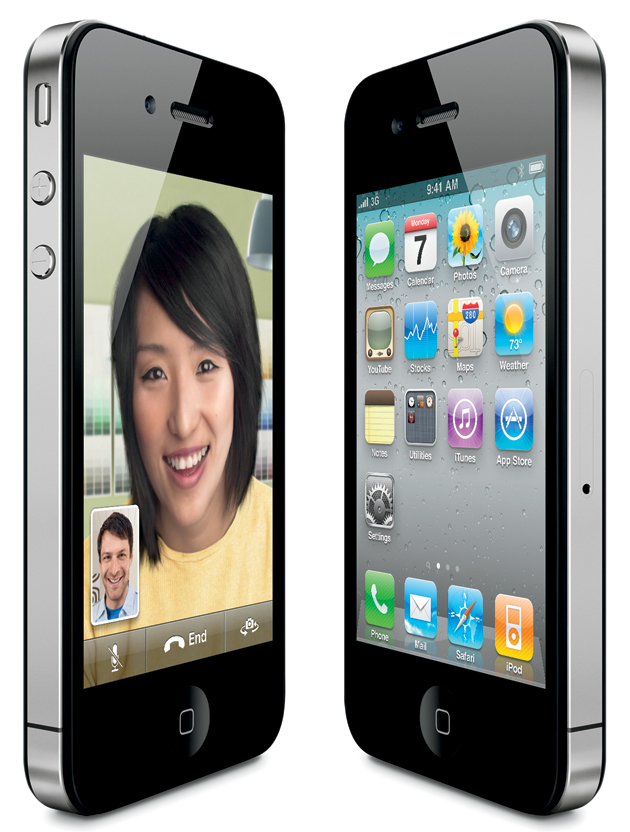
One of the problems with using the iPhone 4 on an unofficial carrier is you lose the ability to FaceTime. Enter MiTime. MiTime is an application available for jailbroken iPhones that activates FaceTime on unlocked iPhone 4s that are running on unofficial/unsupported carriers, such as T-Mobile USA.
The app was first introduced back in August of 2010 and now it has been updated with support for iOS 4.1 and 4.2.1. It works by sending two international SMS messages to activate FaceTime. It is currently the only way to activate FaceTime on unofficial carriers, and in my opinion, it’s definitely worth it.
Follow the guide below to activate FaceTime on your unlocked iPhone 4…
If you’re operating on an unofficial carrier (such as T-Mobile USA), you will need to fully activate your iPhone 4. To do this you must install SAM from Cydia. If your iPhone is already activated with SAM, skip to step 5.
Step 1: Install SAM (Subscriber Artificial Module) on your jailbroken iPhone. To do this, launch Cydia, go to Manage > Sources > Edit > Add, and type in: http://repo.bingner.com
Tap on Add Source.
Step 2: After you have added the source, Go to “Search”, and type in “SAM”. Download and install.
Step 3: Once installed, go to Settings > SAM > De-Activate. You will get a message that your iPhone is De-Activated. Now, Tap on Revert Lock Down.
Step 4: Connect your iPhone via USB and launch iTunes. Once you get a Message that your iPhone is Activated, then you are fully activated with iTunes.
Step 5: From the homescreen, Launch Cydia, go to Manage > Sources > Edit > Add, and type in: http://cydia.pushfix.info
Tap on Add Source
Step 6: After you have added the source, go to “Search”, and type in “MiTime”. Download and install.
Step 7: Launch MiTime, Tap on Agree – You will notice that MiTime will start collecting data and will show you a message that it’s compatible, and FaceTime activation is possible.
NOTE: You must be able to receive and send international text messages. Additional fees may apply.

Step 8: Note down the purchase code, head over to http://mitime.info/purchase, enter the Purchase code, then click on Verify & Purchase and complete the transaction.

Step 9: Once MiTime is purchased, relaunch MiTime. It should say ‘Activated’ & ‘MiTime Purchased’ (pictured below).

You can now FaceTime with your family and Friends using your unlocked iPhone 4!
Here are some notes from the developer of MiTime:
Once purchased, you can change SIMs or phones 3 times and still be recognized as a purchaser, but you can’t change both SIM & phone at same time. If you change both at the same time, please contact me on twitter or respond to the Paypal email receipt with information about your situation (or please consider re-purchasing).
Have you used MiTime before? How did it work for you?
written by iieevvn
\\ tags: activate, Application, collecting-data, facetime, family, guide, homescreen, Iphone, jailbroken, please-consider, sims-or-phones, sms, source, unlocked, usa


Comments